Deutschland-Ticket? Included!
Available immediately, can be cancelled at any time in your NVV app.
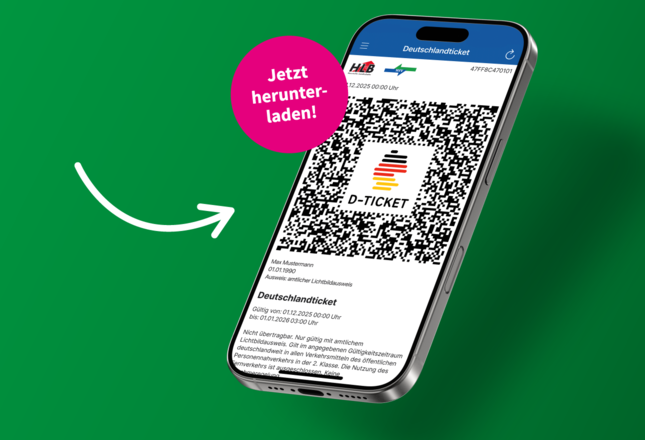
Our NVV app offers you:
- All tickets in one app
From single tickets - Einzelfahrkarte to season tickets: book your ticket digitally at any time. - Deutschland-Ticket
Available immediately and cancellable at any time - under the menu item ‘Deutschlandticket’. - Always up to date on the go
With real-time timetable information, you can see immediately when your bus or train is actually running. - Direct information in the event of disruptions
Traffic reports warn you of disruptions in good time so that you can reschedule your journey. - Everything important saved as favourites
Save frequently used connections, stops and locations as favourites. - Never miss a change again
Activate the alarm function and you will be automatically notified of delays or changes.
In the App Store On Google Play
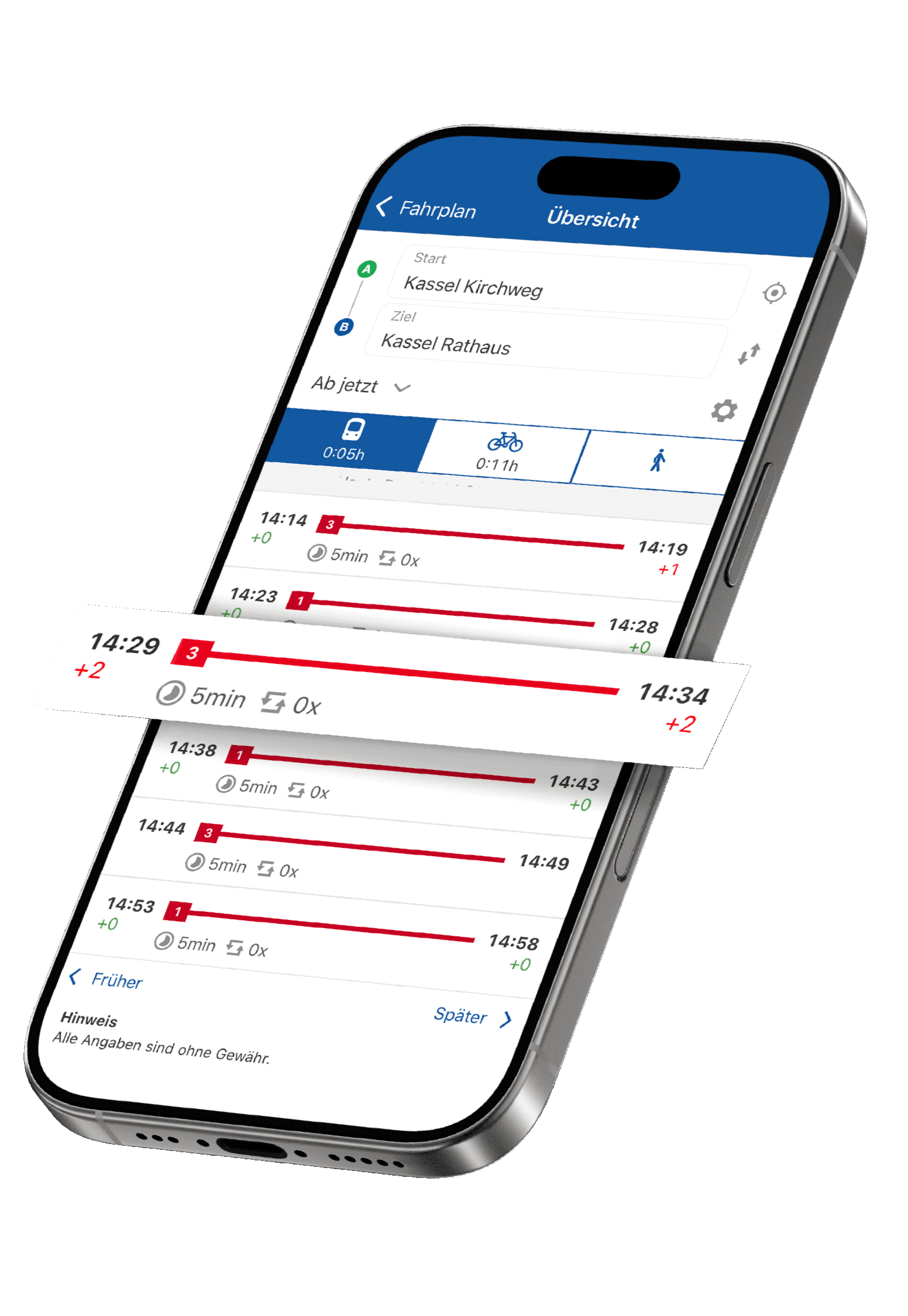
Just a few steps to your ticket
Tickets for immediate journeys can be booked directly in the NVV app.
Deutschland-Ticket
Single ticket for adults - Einzelfahrkarte Erwachsene
Single ticket for under-18s - Einzelfahrkarte U18
SparTicket for adults (only valid with SparCard) - SparTicket Erwachsene (nur gültig mit SparCard)
SparTicket for under-18s (only valid with SparCard) - SparTicket U18 (nur gültig mit SparCard)
MultiTicket Single
MultiTicket
FAQs
General information
- Yatta Checkout is part of the Yatta platform, which is designed to distribute digital products and services as well as other offerings, such as tickets.
- The NVV uses the software system to sell digital public transport tickets. Passengers can access it via the NVV app or the websites of the NVV and its partners.
Use and registration
- You can purchase tickets via your account in the NVV app. If you are not yet registered, you will be automatically redirected to the registration page for a new user account. Once you have registered, you will remain logged in to the NVV app and can purchase tickets directly there.
- The email you received is used to verify your email address and create your customer account.
- Yatta is the NVV's technical IT service provider and operates and protects the underlying IT systems.
- For reasons of transparency, security and data protection, the confirmation email is sent directly by Yatta.
- After registering, you must set a password so that you can log in to your account in the NVV app later using a combination of your email address and password.
- If you log in via a social login (Google, Apple or Microsoft), no additional password is required. You will then log in directly via your Google, Apple or Microsoft account.
- Yatta provides the NVV with a platform for selling tickets and managing user data. To use this platform, you need an account that is integrated with NVV services and accompanies your purchase process.
- Yatta is a technology company based in Kassel and was spun off from the Chair of Software Engineering at the University of Kassel. With Checkout, users can purchase digital products and services for everyday life or work, and now also tickets for public transport in the NVV fare zone.
- Trust and security: You don't have to visit various unknown websites to purchase your ticket or other service or digital product. You can be sure that data protection and data security are guaranteed when ordering via Yatta Checkout.
- Processes and support: The advantages of a platform for you and for service and goods providers are user-centred ordering processes, secure and reliable payment methods, professional customer support and high availability.
- Collaboration and synergy: When many providers and customers come together on platforms, all users benefit from a larger network – as is the case with Amazon and eBay.
Deutschlandticket in the NVV-App
- Yes, the Deutschlandticket is available directly in the NVV app.
You can purchase the Deutschlandticket easily and conveniently in the NVV app.
- Select ‘Deutschlandticket’ from the menu in the NVV app.
- Click on the ‘Go to subscription’ button.
- Optional: Log in if you do not yet have a user account or are not logged in.
- Select a payment method and optionally enter a billing address.
- Click on ‘Buy now’.
- Your ticket will be stored in the ‘Ticket storage’ section of the NVV app.
- Your existing Deutschlandticket subscription with another provider must be cancelled by the 10th of the current month before you can take out a new subscription via the NVV app.
- You can find all the important information about switching to the Deutschlandticket in the NVV app here.
- The Deutschlandticket is also available for the next month or the month after that in the NVV app.
- Of course, it is also possible to purchase it for the current month.
- The invoice for the Deutschlandticket can be found in your NVV app account.
- There you can view and download every invoice for all tickets and subscriptions you have purchased.
- After selecting the Deutschland-Ticket, the invoice details are entered directly via the NVV app and saved in the user account.
- The invoice details can also be changed directly in the NVV app in the user account.
- The NVV app offers a range of payment options.
- You can pay for the digital Deutschland-Ticket with a credit card (Mastercard, Visa or American Express), by SEPA direct debit, or via Apple Pay or Google Pay.
- The digital Deutschland-Ticket can be cancelled directly via the NVV app.
- Simply go to „Bearbeiten“ at the bottom of the ticket, click on the „Abo kündigen“ button in the next step and complete the cancellation by clicking on the „Kündigung bestätigen“ button.
- The Deutschlandticket is stored on servers in Germany.
- All data relating to users, invoices and payments is also stored on servers in Germany.
- Storage is carried out in accordance with European Union law.
Ticket purchase and payment methods
There are several options for purchasing a ticket in the NVV app:
Option 1:
- Enter your route using the ‘Start → Destination’function in the NVV app.
- Select the desired connection and the appropriate ticket for you, then click on ‘To offer’.
- Optional: Log in if you do not yet have a user account or are not logged in.
- Select a payment method and optionally enter a billing address.
- Click on ‘Buy now’.
- Your ticket will be stored in the ‘Ticket storage’ section of the NVV app.
Option 2:
- Select ‘Buy ticket’ from the menu.
- Select the ticket that suits you by clicking on ‘Select route’.
- You will be redirected to the timetable.
- Enter your route using the ‘Start → Destination’function in the NVV app.
- Select the desired connection and the ticket that suits you, then click on ‘Go to offer’.
- Optional: Log in if you do not yet have a user account or are not logged in.
- Select a payment method and optionally enter a billing address.
- Click on ‘Buy now’.
- Your ticket will be stored in the ‘Ticket storage’ section of the NVV app.
The following payment options are currently available:
- Apple Pay
- Google Pay
- SEPA direct debit
- Credit card (Visa, Mastercard, American Express)
The following tickets are available when the new system launches:
- Single ticket for adults - Einzelfahrkarte Erwachsene
- Single ticket for under-18s -Einzelfahrkarte U18
- SparTicket for adults (only valid with SparCard) -SparTicket Erwachsene (nur gültig mit SparCard)
- SparTicket U18 (only valid with SparCard) - SparTicket U18 (nur gültig mit SparCard)
- MultiTicket Single
- MultiTicket
- Day Ticket North Hesse Single -TagesTicket Nordhessen Single
- Day Ticket North Hesse - TagesTicket Nordhessen
- Weekend Ticket North Hesse Single - WochenendTicket Nordhessen Single
- Weekend Ticket North Hesse - WochenendTicket Nordhessen
- Other ticket types, such as weekly tickets, monthly tickets, Hessentickets and transitional fares to the RMV, will follow shortly.
- The tickets you purchase via the NVV app are sold by a so-called ‘customer contract partner’. In your case, this is Hessische Landesbahn GmbH, which also issues the invoice for your ticket purchase.
- The invoice will be automatically sent to the email address stored in your user account as a PDF file after each purchase. If you require an invoice for input tax deduction, please provide a billing address when purchasing your ticket.
- Tickets purchased in the new system remain permanently stored in your user account. You can access them at any time via the ‘Ticket storage’ menu item in the NVV app. Please note that you should check the validity of your ticket before starting your journey.
- The data is stored within the Yatta platform. Access takes place when purchasing tickets from the app at the Yatta checkout. The data is transferred from the connection to the checkout when the offer is called up.
- The data within the Yatta platform is then processed in accordance with the data protection regulations applicable there.
- After purchase, your ticket will be available in the ticket storage section of the NVV app.
- Within the 5-minute guarantee, you can ask your questions about ticket purchases or invoices in the customer dialogue under the category ‘NVV app’. Our staff will answer your questions by email. If there is a high volume of questions, there may be longer delays in responding. The most frequently asked questions are published and answered here in the FAQ.
How to change your bank details:
- Select your desired journey connection.
- Go to the appropriate ticket offer.
- Before confirming your purchase, click on the payment method and edit it (e.g. new bank details for SEPA direct debit).
- Alternatively, you can add a new payment method (credit card, Apple Pay, Google Pay).
You can change your personal details under Account Profile:
- Change your email address and password.
- Your postal address is not requested in the app.
- No, the registration details and payment details are both stored in the same user account. The entire payment process takes place in the NVV app.
- Yes, the ticket is stored in the app's ticket memory (Ticketspeicher) immediately after purchase. It can be accessed directly from there.
DB Navigator
DB Navigator offers:
- a selection of NVV fare tickets
- Timetable information for local and long-distance transport
- recommended for passengers visiting northern Hesse
At the App Store At Google Play
The following NVV tickets are available there
- Single ticket for adults - Einzelfahrkarte Erwachsene
Single ticket for under-18s - Einzelfahrkarte U18 - MultiTicket Single
- MultiTicket
- CityTicket for the cities of Kassel and Bad Hersfeld
- Deutschland-Ticket
- RMV-NVV transfer fare
- Single ticket for adults and children - Einzelfahrkarte Erwachsene und Kinder
- Group day ticket -Gruppentageskarte
- First-class supplement for adults and children - Einzelzuschlag 1. Klasse Erwachsene und Kinder